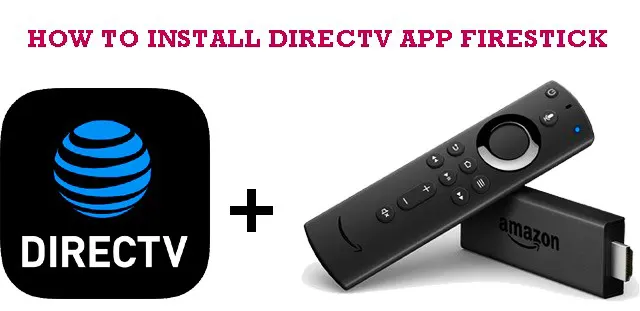
You can install the DIRECTV app on a Firestick straight from the Amazon Appstore. From the Fire TV home screen, open Find and then Search, type DIRECTV, select the official DIRECTV app, choose Download, and sign in with your DIRECTV account. No sideloading tools or third party downloaders are needed.
| App name |
DIRECTV: Live TV, Sports & Streaming |
| Developer |
DIRECTV |
| Works on |
Fire TV Stick models, Fire TV Cube, Fire TV smart TVs |
| Official source |
Amazon Appstore |
| Cost |
App is free, requires a DIRECTV subscription |
| Last verified |
August 2026 |
Before you search: the app is just called DIRECTV now
The streaming service went through several names over the years, first AT&T TV, then DIRECTV STREAM. Today it is simply called DIRECTV, and the official site describes it as DIRECTV, formerly DIRECTV STREAM. If an older guide tells you to hunt for an app called DIRECTV STREAM on your Firestick, relax: it is the same app, now listed as DIRECTV: Live TV, Sports & Streaming in the Amazon Appstore. Both internet-based subscribers and satellite customers sign in to this one app with their DIRECTV credentials.
Once you are in, the app behaves like any modern live TV service: a channel guide for live television and sports, an On Demand library, and search across both. Whatever your plan includes on other devices is what you will see on the Firestick, there is no separate Fire TV package.
How to install the DIRECTV app on Firestick
- From the Fire TV home screen, move to the magnifying glass (Find) and select Search.
- Type DIRECTV, or say it into the Alexa voice remote.
- Select the DIRECTV app from the results. Check the publisher is DIRECTV before installing.
- Choose Get or Download and wait for the install to finish, it usually takes under a minute.
- Select Open, then Sign In, and enter your DIRECTV username and password. A device code flow may ask you to confirm on your phone or computer.
- Pick a channel or an On Demand title and start watching.
Get DIRECTV (Amazon Appstore)
If you cannot find the app or it will not load
- You are outside the United States. DIRECTV is a US service and the app is only offered on US Amazon accounts. There is no supported workaround for other countries.
- Fire OS is outdated. Go to Settings, then My Fire TV, then About, and install any pending software update, then search again.
- The app freezes or will not sign in. Restart the Firestick (unplug it for 30 seconds), check your internet connection, and confirm your DIRECTV subscription is active. Reinstalling the app clears most leftover problems.
- Ignore sideloading guides. Some older articles, including an earlier version of this one, suggested pulling a DIRECTV APK through Downloader or ES File Explorer with a shortened link. That is unnecessary and risky. The official app is in the Appstore, and an APK from an unknown URL is exactly how junkware gets on a Firestick.
Frequently asked questions
Is the DIRECTV app free on Firestick?
The app itself is a free download. Watching anything requires an active DIRECTV subscription, and you sign in with your account before any content plays. There is no free tier inside the Fire TV app.
Can satellite DIRECTV customers use the Firestick app?
Yes. Satellite subscribers can sign in with their DIRECTV account and stream the live channels and On Demand titles included in their plan, which is handy for a TV that has no receiver connected.
How much does DIRECTV cost on a Firestick?
The download costs nothing and there is no extra Firestick fee. What you pay is your regular DIRECTV subscription, and pricing depends on the channel package you choose. Packages change often enough that we will not quote numbers here: check the current lineup at directv.com before you sign up.
Why will the DIRECTV app not work on my Firestick?
The usual causes are an outdated Fire OS build, a stale app version, a weak connection, or an account issue such as a lapsed payment. Update Fire OS, reinstall the app, restart the device, and verify you can sign in at directv.com before blaming the Firestick.
Verdict: if you already pay for DIRECTV, the Firestick app is the easy way to put it on any TV, and the whole setup genuinely takes about five minutes through the official Appstore listing. If you also watch on a computer, our video streaming apps for PC hub covers the desktop side.